
Learning to code for the first time can feel confusing. There are hundreds of languages, thousands of courses, and a lot of advice that doesn’t agree with itself. This Python tutorial is meant to make that start simpler. It is written for people who have never programmed before, and it moves forward one topic at a time, without assuming anything you haven’t learned yet.
This first page doesn’t teach a specific Python feature. Instead, it explains what learning Python involves, how this tutorial is arranged, and how you can learn from it properly. Reading it once will make every lesson after it easier to follow.
Starting Python as a Complete Beginner
If you are starting from zero, you are in the right place. Many people who work as developers today began exactly where you are now, without knowing what a variable or a loop was.
Being a beginner is not a disadvantage. You don’t have previous habits to break, and you can set up a clean slate. At this time speed and talent are not the most important thing. It’s getting one idea right before you go to the next idea.
This tutorial will do the same. Each lesson covers one subject, explained in clear words, and connected to what you already know.
What Programming Really Means
Learning Python first without understanding what programming is can be difficult.
A computer is really fast, but it doesn’t think. It performs exactly what it is commanded to do, in exactly the manner it is commanded to do it. Programming involves writing those instructions in a language that can be translated into something the machine understands.A set of such instructions is called a program.
Programming is less about memorising commands and more about solving problems. You take a task, you decompose it into small steps, you explain each step. The programming language is only the instrument you use to put down those steps.
This is why learning one language well makes it much easier to learn others later. The way of thinking stays the same. Only the words and the rules change.
Why Python Is a Great First Programming Language
There are good reasons that Python is often recommended as a first language.
Syntax is simple and readable. Python programs look more like normal English than most other languages do. There are fewer symbols and fewer strict rules to remember so that beginners can focus on logic instead of getting hung up on punctuation.
It gives quick results. You can write a small working program in your first lesson. Seeing your code run early on keeps you motivated, and it helps new ideas stick.
It is used for real work. People use Python to solve real problems every day. It isn’t just a language for learning. It is used for web development, automation, data analysis, machine learning and scientific research. The skills you build here are the same ones used in professional projects.
It has a large community. Python is so popular that you’ll easily find answers to common questions, free libraries and learning resources whenever you get stuck.
What Can You Do With Python
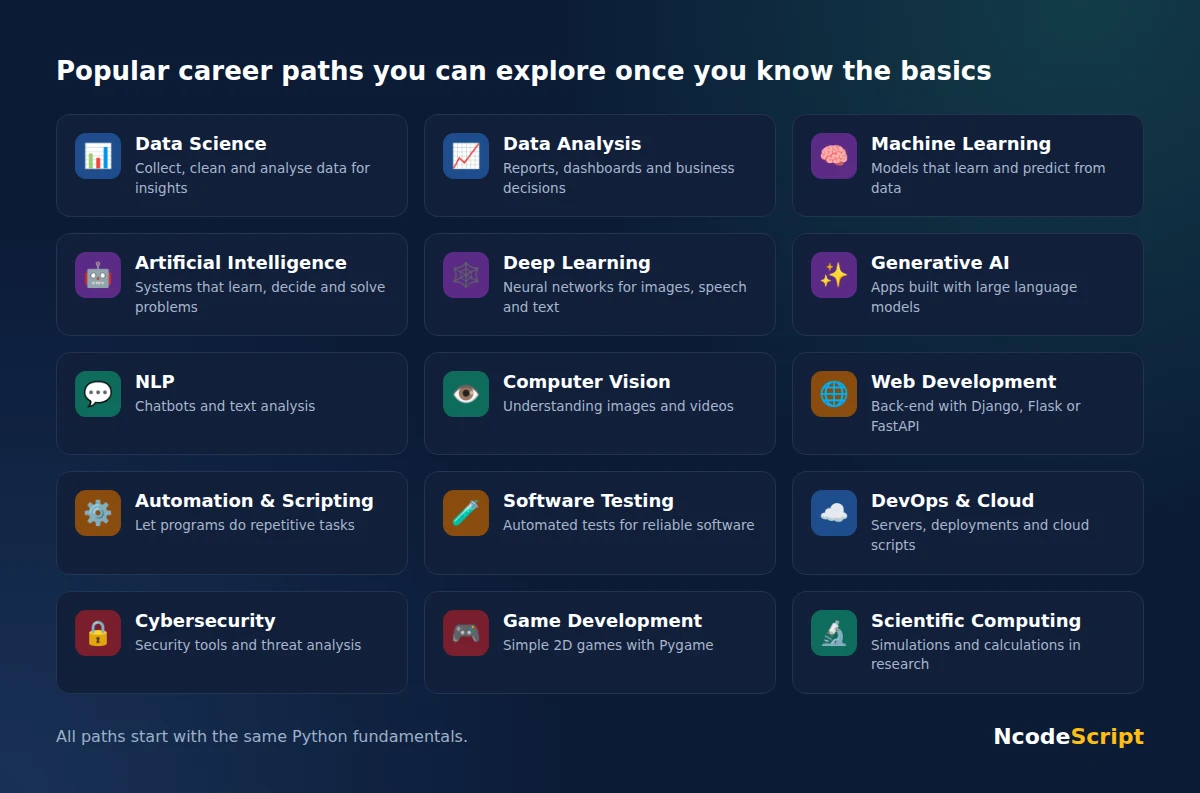
Once you are comfortable with the basics, Python lets you move in almost any direction you choose. Here are some of the most popular paths:
- Data Science : collect, clean and analyze data to extract useful insights
- Data Analysis: transform raw data into reports, dashboards and business decisions
- Machine Learning: Developing models that learn and predict from data
- Artificial Intelligence (AI): building systems that can learn, make decisions, and solve problems
- Deep Learning : work on neural networks for images, speech and text
- Generative AI: Building applications with large language models and AI tools
- Natural Language Processing (NLP): human language, e.g., chatbots and text analysis
- Computer Vision: allowing computers to see and interpret images and videos
- Web Development: Back-end development of websites and web applications with Django, Flask, or FastAPI
- Automation and scripting – writing programs to do things automatically that you would otherwise have to do yourself, over and over again
- Software Testing: writing automated tests to make sure software works as intended
- DevOps and Cloud Computing: server management, deployment and cloud services with the help of scripts
- Cybersecurity: building security tools, analyzing threats and testing system safety
- Game Development: developing simple 2D games using common programming libraries like Pygame
- Computational Science and Research: science and engineering simulations and calculations
You don’t have to choose a path now. This tutorial starts with the fundamentals that are common to all of them.
Who This Tutorial Is For
- This Python tutorial is for the absolute beginner as well as the intermediate programmer.
- Students of schools and colleges who are learning programming for first time or preparing for examinations
- Job aspirants preparing for technical interviews and placement tests.
- Working professionals who want to automate parts of their work or move into a technical role.
- Future data scientists and AI enthusiasts who are looking for a solid Python foundation before diving into the more complex topics.
- Programmers from other languages who want a structured way of learning the style and features of Python.
If you are a complete beginner in coding, start from lesson 1 and go through in order. If you know a bit of Python you may skip to the areas you want to review using the topic list.
What this Python tutorial looks like
The complete Python tutorial in NcodeScript is divided into levels that begin with the basics and go up to more complex and practical topics.
- Python Fundamentals covers the foundation how Python works, how to set it up, and the basic building blocks of every program.
- Core Concepts builds on that foundation with the tools you will use in almost every program you write.
- Advanced Development introduces the ideas used to write larger, well-structured programs.
- Professional Mastery focuses on the practices developers follow in real projects.
- Analytical Programming applies Python to data and problem solving.
Each level is divided into sections, and each section contains short lessons. New lessons are added regularly, and they are placed in the right order, so the path through the course always stays clear. You can see every lesson in the sidebar, and each page links to the next one.
What You Need Before You Start
You need very little to begin:
- A computer: Python works on Windows, macOS and Linux, so any regular laptop or desktop is enough.
- Python installed on your system: It is free to download, and the upcoming lessons explain the installation step by step for each operating system.
- A place to write code: Python includes a simple editor called IDLE.
Lots of learners move on to editors such as VS Code or PyCharm later, but you don’t need them to begin with.
If you don’t want to install anything at first, you can use the NcodeScript Online Compiler, which allows you to run the Python code right in your browser.
No advanced math or previous programming experience is needed. Basic arithmetic and the willingness to practise are enough.
How to Get the Most Out of Each Lesson
Reading a lesson is only part of learning. These habits will help you understand and remember what you study:
Follow the lessons in order. Most topics depend on earlier ones, so skipping ahead often causes confusion later.
Run every example yourself. Don’t just read the code. Type it, run it, and check that the result matches the lesson.
Change things and observe. Edit an example slightly and see what happens. This is one of the fastest ways to understand how something really works.
Read error messages carefully. Errors are part of programming, even for experienced developers. Python’s messages usually point out what went wrong and where.
Try the practice questions. Solving a problem on your own shows you whether you have truly understood the topic.
Revise when something feels unclear. Going back one lesson is often all it takes to clear up a difficult concept.
Common Myths About Learning Python
Many beginners hold back because of ideas that aren’t true. Here are a few of the most common ones.
“I need to be good at maths.” Most everyday programming uses very basic arithmetic and logical thinking. Some specialised fields, such as machine learning, use more maths, but you can learn that later when you need it.
“I’m too old or too late to start.” People start programming at every age. What matters is regular practice, not when you begin.
“I have to memorise everything.” Programmers look things up all the time. The goal is to understand concepts so you know what to search for and how to use it.
“Making errors means I’m not good at this.” Every programmer makes mistakes daily. Debugging — the process of finding and fixing errors — is a normal part of writing code, and it is one of the most valuable skills you will learn.
Where Do We Go from Here
Now you understand exactly what learning Python means, who this tutorial is for, how the tutorial is structured, and how to properly study each lesson.
The next thing to understand is the language. Next lesson What is Python? – Introduction to Python Programming, here you will learn about Python, how it works and what makes it stand apart from other programming languages.
Don’t rush through the lessons, learn the skills and move from one topic to another. That steady approach is the best way to get comfortable with Python.